Get started
Connect a page
AFP reaches a Facebook page through a Facebook profile that administers it: you attach the profile once, then choose which of its pages to link. An Instagram business account comes along with the Facebook page it belongs to, or connects on its own through Instagram Business Login. A linked page is listed under its profile on the Accounts page, ready for a campaign.
What do you need?
Section titled “What do you need?”Four things, and each one blocks the link if it is missing.
| What | Why it is required |
|---|---|
| An AFP account created with an email address and a password | Attaching a Facebook profile needs this account type. An account created with Facebook sign-in cannot attach a profile, so create your account with an email address first. |
| An active subscription | Linking checks for one before anything else and refuses without it. |
| Admin access on Facebook to every page you link | AFP asks Facebook for the access it needs to act on each page, and Facebook grants that only to a profile that administers the page. |
| An Instagram business account, for the Instagram route | Instagram Business Login connects business accounts. |
How do I attach a Facebook profile and link its pages?
Section titled “How do I attach a Facebook profile and link its pages?”- Open Accounts in the dashboard and start attaching a Facebook profile. AFP sends you to Facebook’s consent screen.
- Grant consent within five minutes. AFP holds the request that long, and an expired request returns you to the dashboard with nothing attached.
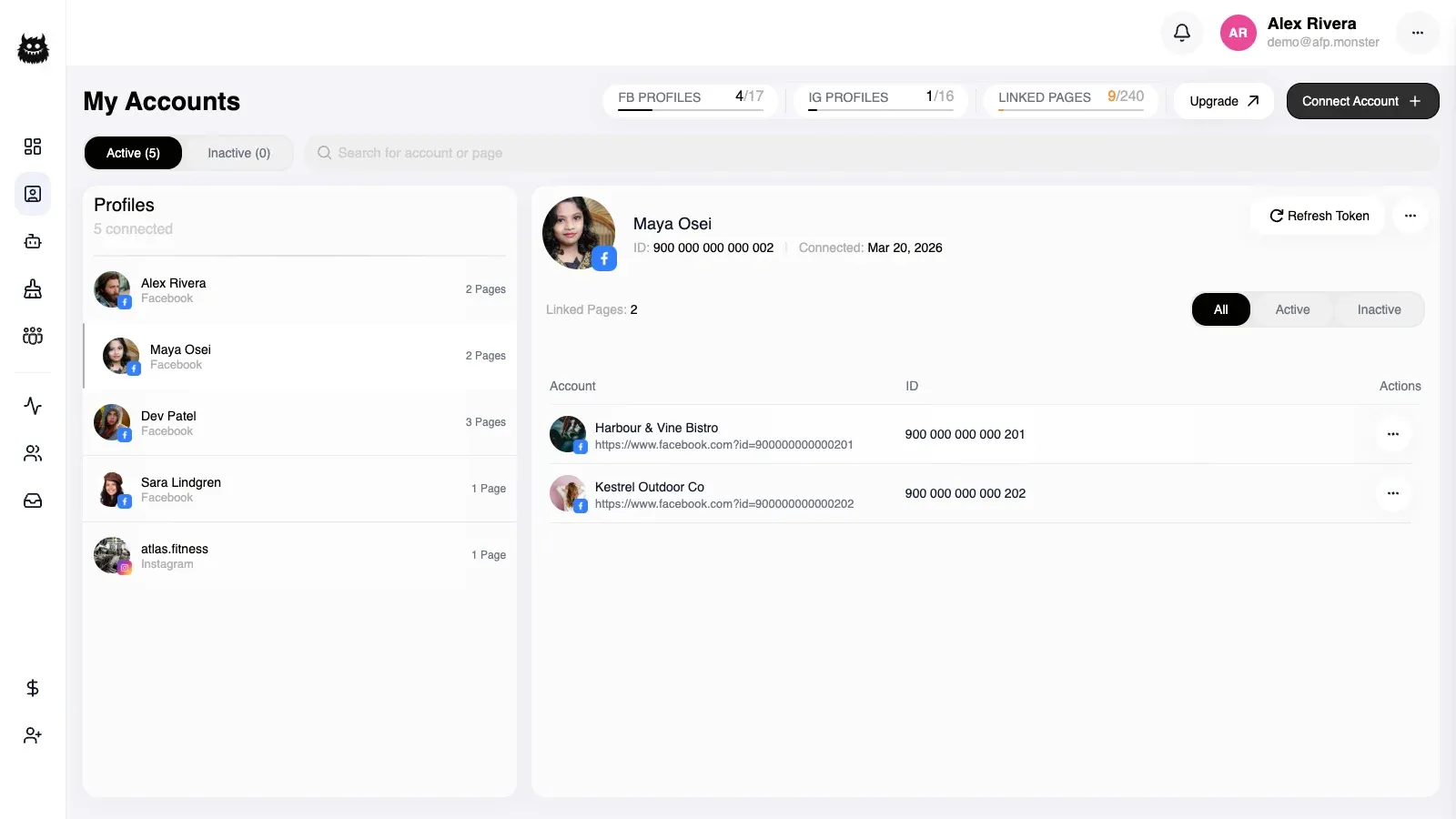
- Facebook returns you to AFP with the profile attached. The pages that profile administers are grouped under its name and avatar, so you can tell which identity each page came from.
- Select the pages you want and link them. AFP fetches each one from Facebook, stores the access it needs to act on that page, and reports how many pages it linked.
Facebook decides at step 2 which pages it will share with AFP, and that choice is the one people most often get wrong. Approve the option covering all current and future pages rather than selecting pages individually. A page you leave out is not shared, so it never reaches AFP, and a page you create later stays missing until you consent again.
The pages Facebook shared then appear grouped under the profile they came from.
A Facebook profile that already used AFP on its own brings its history with it. Attaching it moves its pages, its subscription, and its keyword lists onto your account instead of leaving them behind on the old sign-in.
A profile already attached to a different AFP account does not change hands silently. AFP returns you to the dashboard with a confirmation prompt, and the profile moves only after you confirm the claim.
Linking a Facebook page that has an Instagram business account attached to it also attaches that Instagram account, which then works through the Facebook page’s access rather than its own.
Which permissions AFP requests on Facebook and Instagram, and what each one allows, are listed in the page permissions reference.
Why is a page missing from the available list?
Section titled “Why is a page missing from the available list?”The available list is built live. For every Facebook profile on your account, AFP asks Facebook which pages that profile administers, then removes the pages already linked to your account. Pages you disconnected earlier are shown next to them so you can bring them back.
| Reason | What you see | What to do |
|---|---|---|
| The profile does not administer the page on Facebook | The page is absent from that profile’s group | Get admin access to the page on Facebook, then re-open the list |
| The page is already linked to your account | The page is on your linked list instead of the available one | Nothing — it is connected |
| The profile’s Facebook access has expired | That profile’s whole group of available pages is missing, and the profile is flagged as expired | Re-authorise the profile; connected pages covers it |
| The page is held by another Facebook profile, including one on your own second AFP account | The page can still be offered, then it is skipped when you link, so fewer pages link than you selected | Link that page on its own to get the takeover prompt, as why is my page not showing up? explains |
Why is my page not showing up? works through each of these causes in full, including what Facebook shares at the consent screen and what happens when another account already holds the page.
How do I connect an Instagram business account?
Section titled “How do I connect an Instagram business account?”Two routes, and which one fits depends on whether the account is attached to a Facebook page you administer.
| Route | Use it when | What you get |
|---|---|---|
| Through its Facebook page | The Instagram business account is attached to a Facebook page you administer | Linking the Facebook page attaches the Instagram account with it, and both run on that page’s access |
| Instagram Business Login | There is no Facebook page to link, or you want the account on its own | A standalone Instagram account with its own Instagram access, listed as its own group on Accounts |
Instagram Business Login runs in three steps.
- Open Accounts and start an Instagram connection. AFP sends you to Instagram.
- Approve the permissions AFP asks for: your account’s basic business details, managing comments, and managing messages.
- Instagram returns you to Accounts, where the account appears as its own group rather than under a Facebook profile.
The consent link is single use and expires ten minutes after AFP creates it. Cancelling on Instagram’s screen, opening a link twice, or coming back after it expires all return you to Accounts with an error and nothing connected.
Use one route per Instagram account. An account AFP already reaches through a linked Facebook page is refused by Instagram Business Login, and an account connected by Business Login is not attached a second time when you later link its Facebook page.
How many pages can I link?
Section titled “How many pages can I link?”Two plan checks run before AFP links anything.
| Check | How it counts | What happens when it fails |
|---|---|---|
| Active subscription | Your account either has one or it does not | Linking is refused. Instagram Business Login returns you to Accounts with a subscription error |
| Page allowance | Every page on the account, across all attached profiles, counted as though the pages you selected were already linked | The whole selection is refused with a message about the plan limit |
The page allowance is counted after the selection, so linking several pages at once can fail where a single page would have gone through. Selecting fewer pages is the quickest way to tell a plan limit apart from a page-level problem.
Below Team Scale, active Facebook pages come from one profile at a time. You can attach a second profile, but linking its pages while another profile still has active pages is refused.
An Instagram account connected by Business Login below that same tier arrives disconnected. The connection succeeds, AFP tells you the account came in disconnected, and it is stored without acting on comments or messages.
Plan allowances change, so read the current values in the app rather than copying them. Plans and quotas explains which limits exist and where each one is enforced.
How do I know it worked?
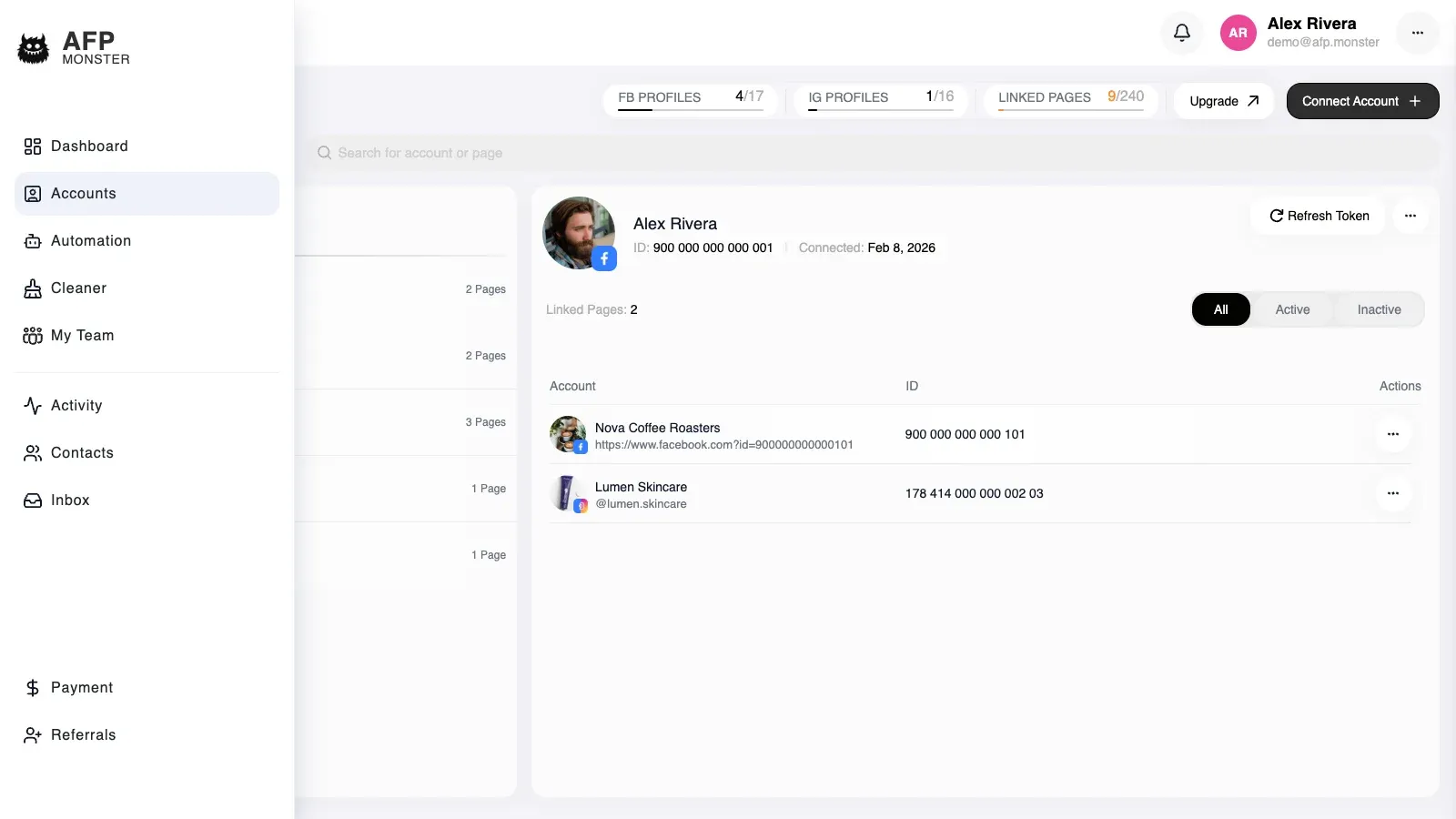
Section titled “How do I know it worked?”The page is listed on Accounts — under the Facebook profile that owns it, or as its own Instagram group — with an active status. The second signal is in the campaign canvas: choosing the page there lists that page’s Facebook or Instagram posts, which AFP can only fetch for a page it can reach.
| Status | What it means |
|---|---|
| Active | AFP can act on the page |
| Expired | The stored Facebook or Instagram access for the page no longer works, and its profile is flagged so you can re-authorise it |
| Disconnected | The page, or the profile that owns it, is switched off. The data stays and the link can be restored |
A Facebook profile group carries the worst status of its pages, so one expired page marks the whole profile. Open the group to see which page it is.
If AFP reports fewer linked pages than you selected, work through why a page is missing from the available list — pages the profile does not administer and pages held by another account are skipped rather than reported as failures.