Your account
Buy extra seats, pages, and profiles
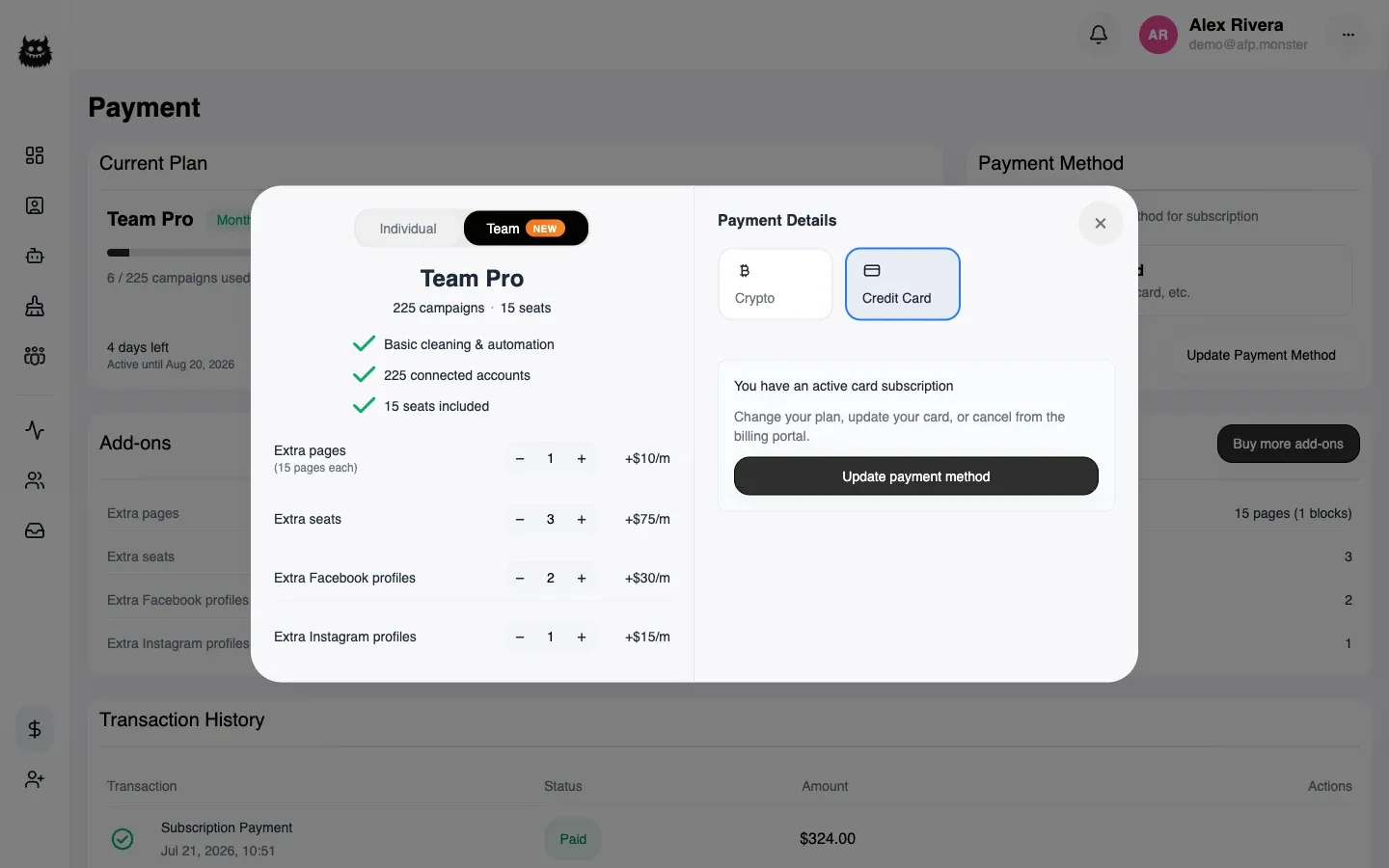
Add-ons raise one limit at a time, so you do not have to move to a bigger plan to fit one more page. Four exist: extra seats, extra page blocks, extra Facebook profiles, and extra Instagram profiles. You set the quantities with the steppers next to your plan, and the total updates as you go. Campaigns are the one limit with no add-on — that number only moves by changing plan.
What you need first
Section titled “What you need first”- An active subscription. Add-ons attach to a subscription; they are not bought on their own.
- A team plan, for three of the four. Only extra pages can be added to an individual plan.
- For a cryptocurrency subscription, days still left on the term. An expired subscription is renewed, not topped up.
What can I add?
Section titled “What can I add?”| Add-on | One unit buys | Needs a team plan |
|---|---|---|
| Extra seat | One more person in the team | Yes |
| Extra page block | Fifteen more pages | No |
| Extra Facebook profile | One more Facebook profile | Yes |
| Extra Instagram profile | One more Instagram profile | Yes |
Pages come in blocks of fifteen, not one at a time. Needing one more page means buying a block.
Add-on catalogue gives the list prices and the exact formula for every resulting limit.
How do I buy add-ons?
Section titled “How do I buy add-ons?”- Open Payment.
- In the Add-ons panel, choose Buy more add-ons.
- Use the + and − steppers to set the quantity of each one. The monthly cost appears beside each row.
- Choose your payment method and complete the purchase.
The quantities you set are the totals you will have, not the amount you are adding. The current plan and the add-ons you already own are shown alongside, so you can see what changes.
What do I pay part-way through a term?
Section titled “What do I pay part-way through a term?”You pay for the time that is left, not a full period.
On a cryptocurrency subscription, AFP prices only the add-ons you are adding, scaled down to the days remaining on your term, and raises an invoice for that. Your plan cost is not charged again. Once the payment settles, the higher limits apply for the rest of the term, and the add-ons are part of what you renew.
On a card subscription, the change is priced by the payment provider against the current term and charged immediately. AFP shows the amount due before you confirm, and your bank may ask you to confirm the payment.
Either way the renewal price afterwards includes the add-ons.
Can I reduce add-ons the same way?
Section titled “Can I reduce add-ons the same way?”No. Steppers add capacity; they are not the route to giving it back.
| Payment method | How to reduce |
|---|---|
| Card | In the billing portal — see Pay by card |
| Cryptocurrency | Buy the smaller set at your next renewal |
A change that works out to a credit rather than a charge is refused inside AFP and pointed at the portal, which is why reducing a quantity and confirming does nothing useful.
Why is it not working?
Section titled “Why is it not working?”| Symptom | Cause | Fix |
|---|---|---|
| Seats or profiles cannot be added | You are on an individual plan | Move to a team plan, or add page blocks only |
| Nothing to charge | Every stepper is back at its current value | Raise at least one quantity |
| Told to renew instead of top up | The subscription has no days left | Renew it, choosing the add-ons as part of the renewal |
| Told to use the billing portal | The subscription is paid by card, and this is a reduction | Open the portal |
| The extra pages did not appear | The payment has not settled yet | Limits change once the payment is confirmed |
| One more page cost a whole block | Pages are sold in blocks of fifteen | Expected — the remaining fourteen are yours to use |
| The campaign limit will not move | There is no campaign add-on | Change plan; see Plans and billing |
Related
Section titled “Related”- Add-on catalogue — prices, units, and the limit formulas.
- Plan quotas — how each limit is counted and when it is checked.
- Pay by card — the portal, where reductions and cancellation happen.
- Work as a team — what a seat is, and why pending invitations occupy one.