Your account
Plans and billing
Plans are bought for a term of one, three, six, or twelve months by cryptocurrency, or one or twelve months by card. You pick a plan from the catalogue, choose a term, and AFP either takes the card payment or raises an invoice with a checkout link; the subscription starts once the payment settles. Longer terms are discounted. Your active subscription sits with your account details, and every payment you have made stays in your payment history.
What do I need before buying?
Section titled “What do I need before buying?”- An AFP account, signed in. See Create your account.
- A way to pay. Cryptocurrency is available to everyone; card payment is released account by account, so the card option appears only where it is switched on for you.
- Nothing else. You do not have to cancel or wind down the subscription you are on first.
Which payment method should I use?
Section titled “Which payment method should I use?”Both buy the same plans. They differ in whether the subscription renews on its own, which terms they accept, and whether tax is added.
| Card | Cryptocurrency | |
|---|---|---|
| Renews by itself | Yes | No |
| Terms | 1 or 12 months | 1, 3, 6, or 12 months |
| Tax added | Yes, from your billing address | No |
| Invoice document | Yes, per payment | No — the history row is the record |
Pay by card covers the card purchase and the billing portal. Payment methods compares the two in full. The rest of this page describes the cryptocurrency route.
What does a plan include?
Section titled “What does a plan include?”Each plan sets six allowances plus the number of days a subscription bought on it runs for. The numbers are configured per plan and change, so read them on the plan cards in the app rather than copying them from a guide.
| What the plan sets | What it governs |
|---|---|
| Campaigns | How many campaigns can exist on the account. See Build a campaign on the canvas |
| Pages | How many pages can be linked at once, counted across every attached profile. See Manage connected pages |
| Facebook profiles | How many Facebook profiles the plan covers. See Manage profiles under one account |
| Instagram profiles | An allowance the plan carries for Instagram accounts. |
| Cleaner jobs | Use of the bulk comment-removal tool. See Bulk-remove comments with the cleaner |
| Seats | How many people can be in the team, on a team plan. See Work as a team |
| Days | The plan’s duration, which sets how long a subscription bought on it runs |
The plan list shows every plan you can buy, cheapest first, each with its price, its description, and its artwork. The trial tier is hidden from that list, so it is not something you can buy or return to. Plan quotas explains how each allowance is counted and when AFP checks it.
Plans come in two kinds. Individual plans cover one person. Team plans add seats and are the only plans that can own a team.
Pages, profiles, and seats can be raised without changing plan, by buying add-ons. Campaigns cannot. See Buy extra seats, pages, and profiles.
How do I buy a plan?
Section titled “How do I buy a plan?”- Open the plan list and compare the plans.
- Pick a plan and choose a term of one, three, six, or twelve months.
- Set any add-ons you want alongside the plan.
- Raise the invoice. AFP cancels any invoice of yours that is still pending, creates the new one, and hands you a checkout link.
- Follow the link and pay in cryptocurrency on the checkout page.
- Leave it alone. The invoice is confirmed for you once the payment settles, and your subscription starts or is extended.
The term you choose sets the price: the plan’s price is multiplied by the number of months, then discounted for the longer terms, and the total is rounded.
| Term | What the invoice is raised for |
|---|---|
| 1 month | The plan price |
| 3 months | Three times the plan price, less 5% |
| 6 months | Six times the plan price, less 10% |
| 12 months | Twelve times the plan price, less 15% |
Can I use a coupon code?
Section titled “Can I use a coupon code?”Yes. The checkout has a field for one, on either payment method, and the total updates as soon as the code is accepted.
A coupon discounts the payment that redeems it and no renewal, and a code may be restricted — to certain plans, to certain terms, or to customers who have never paid before. Earn with referrals lists every reason a code is refused.
How long does confirmation take?
Section titled “How long does confirmation take?”The invoice stays pending until the payment settles on the network you sent it over, and it moves to confirmed without any action from you — you do not need to keep the checkout page open or refresh anything. Confirmation time depends on the network rather than on AFP.
Each invoice records the amount it was raised for, the amount actually received, and the network the payment arrived on, so an underpayment or an overpayment is visible rather than silent.
Subscription lifecycle covers the states an invoice passes through on the way to confirmed, and what confirmation does to your subscription.
How do I cancel an invoice I have not paid?
Section titled “How do I cancel an invoice I have not paid?”Cancel it from your payment history. Cancellation works only while the invoice is still pending: AFP marks it cancelled and stops watching for the payment.
Cancelling an invoice that has already reached a final state is refused rather than accepted silently, and the refusal reads the same in three different cases — the payment settled, another browser tab cancelled the invoice, or the invoice belongs to a different account.
Where do I see what I paid for?
Section titled “Where do I see what I paid for?”Two places, and they answer different questions.
| Where | What it shows |
|---|---|
| Your account details | The one active subscription, and the plan it sits on |
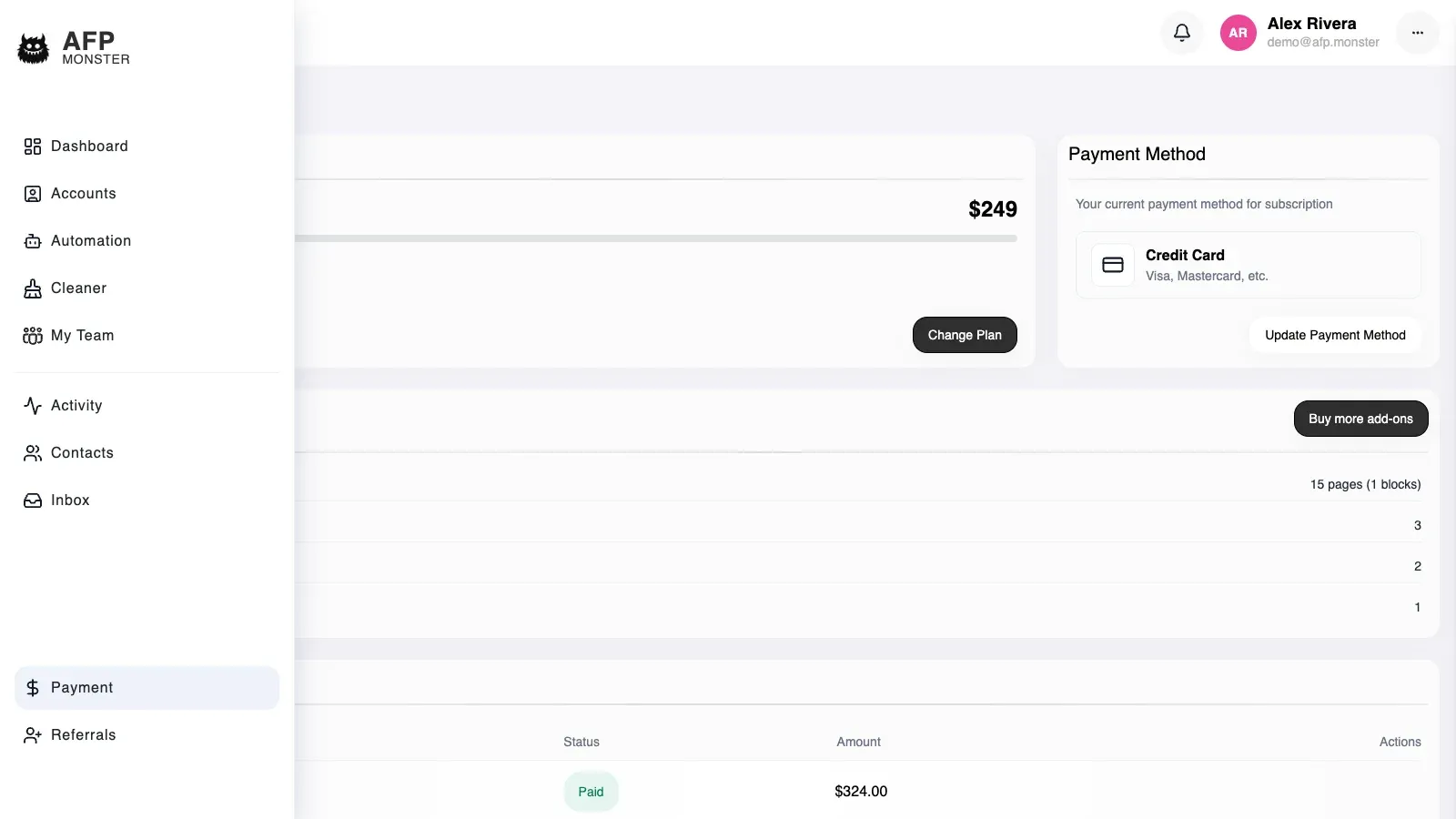
| Payment history | Every invoice, newest first, fifteen to a page, each with the plan it was raised for |
An account holds at most one active subscription, so there is never a question of which plan is in force. Payment history is paginated rather than truncated, so older invoices are behind the pager rather than missing.
If the days on your subscription do not move after an invoice confirms, open a support ticket quoting that invoice.
Can I switch plans before mine runs out?
Section titled “Can I switch plans before mine runs out?”On the cryptocurrency route, buying another plan does not wait for the current term to end: pick the plan you want, raise an invoice for it, and the change takes effect when that payment settles. There is no separate upgrade or downgrade flow — every change of plan is a purchase.
On a card subscription an upgrade is a change to the subscription you already have, priced for the part of the term that is left. A downgrade goes through the billing portal instead. See Pay by card.
On the card route, buying a plan whose limits are below what you are already using is refused until you come back inside them.
What happens to the days you already have depends on whether the plan you buy is the one you are on. Subscription lifecycle has the arithmetic for adding days, converting them on a switch of plan, and how expiry is detected.
Why is my payment not showing up?
Section titled “Why is my payment not showing up?”| Symptom | Cause | Fix |
|---|---|---|
| The invoice is still pending long after you sent the payment | The payment has not settled on the network yet | Wait — the invoice is confirmed without you |
| A checkout link you had open now shows a cancelled invoice | Raising a newer invoice cancelled it | Pay the newest invoice only |
| Raising an invoice fails with a server error | The payment provider did not answer | Raise the invoice again |
| The plan you picked is refused as not existing | The plan left the catalogue while your tab was open | Reload the plan list and pick again |
| Cancelling an invoice is refused | The invoice already reached a final state, or another tab cancelled it | Reload payment history and check its status |
| The plan list is empty | Only purchasable plans are listed, and the trial tier is not one of them | Nothing to fix — compare the plans that are listed |
Related
Section titled “Related”- Pay by card — the card purchase, the billing portal, and invoices.
- Payment methods — card and cryptocurrency compared in full.
- Buy extra seats, pages, and profiles — raising a limit without changing plan.
- Plan quotas — what each allowance covers and where AFP enforces it.
- Subscription lifecycle — proration, expiry, and what stops working when a subscription lapses.
- Earn with referrals — the referral programme and the earnings list that sits beside your payments.
- Create your account — the account a subscription is attached to.